
SMTP Is Not an Identity Protocol
How a Custom Domain Email Setup Turned into a Spoofing Deep Dive
I wanted one thing: [email protected].
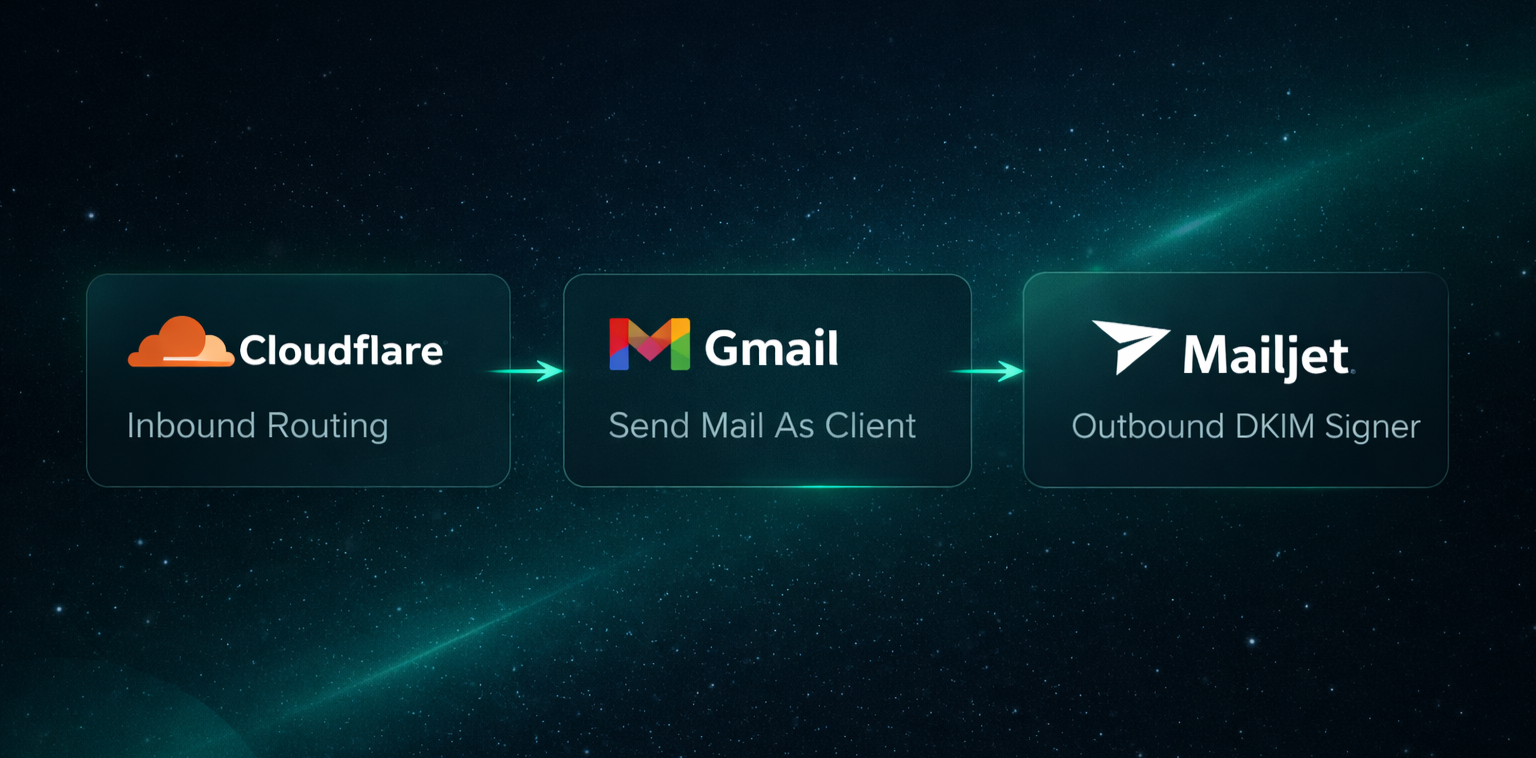
No Google Workspace, no subscription, just a lightweight setup using Cloudflare Email Routing for inbound mail, Gmail as the client, and proper domain authentication so everything would look clean and technically correct.
On paper it looked simple. In practice it wasn't.
SMTP Is Transport, Not Identity
Sending email appears straightforward: you connect to an SMTP server, authenticate, and send the message. That flow gives the impression that identity is verified as part of the process.
In reality, SMTP authentication only proves that you are allowed to use
a specific SMTP server. It doesn't prove that you own the domain shown
in the From: header.
SMTP wasn't designed to enforce domain ownership. That layer of identity validation was introduced later through SPF, DKIM, and DMARC. Without those mechanisms, sender ambiguity is expected behavior rather than a protocol flaw.
The Lightweight Setup
My configuration looked like this:
- Domain managed in Cloudflare
- Cloudflare Email Routing for inbound mail
- Gmail "Send mail as" for outbound messages
- Mailjet handling outbound DKIM signing
I also tested Resend, but in this particular flow Gmail refused to authorize its SMTP server.
Everything worked - until I tightened DMARC.
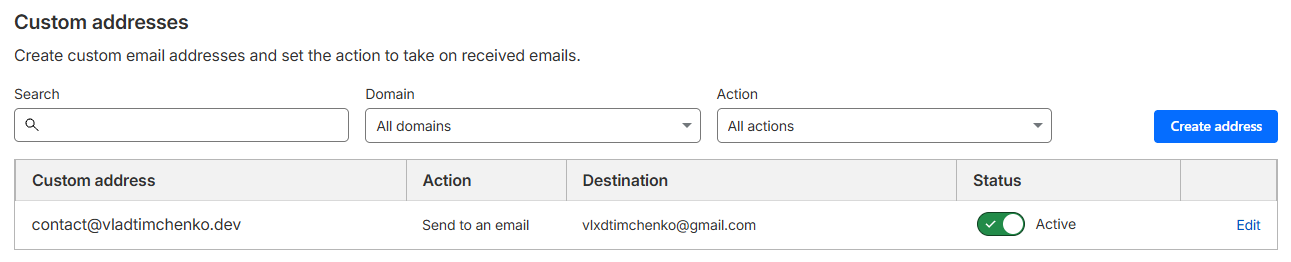
Cloudflare Email Routing: inbound mail for [email protected] goes to Gmail.
The DMARC Alignment Problem
When sending as [email protected], DMARC evaluates whether SPF
and DKIM align with that domain. If DKIM is signed as google.com and
the SPF return-path is misaligned, DMARC fails even if the message is
technically delivered.
Headers now tell a different story:
From:yourdomain.com- DKIM: signed for a different domain
- SPF: evaluated against a different domain
At that point, the protocol is effectively asking: "Are you really who you claim to be?" - and the answer doesn't look convincing.
| DMARC Policy | Effect |
|---|---|
p=none | Observe and collect reports |
p=quarantine | Treat failing mail as suspicious |
p=reject | Reject failing mail |
Why a Middleman SMTP Service Becomes Necessary
Cloudflare Email Routing handles inbound delivery only and doesn't sign outbound messages. That means it can't solve domain alignment for outgoing mail.
Using a relay such as Mailjet changes this because it signs DKIM on
behalf of your domain and allows proper SPF configuration. Once both
mechanisms align with the From: domain, DMARC passes as intended.
This is the point where most "simple setup" guides stop, even though this is where domain identity actually becomes correct.
Identity vs Infrastructure
Another aspect that surfaced during this process was identity separation.
It is technically valid to add a domain email as an alias to an existing Google account, but doing so merges presentation. The same avatar, the same Google profile, and the same visible identity are reused.
I preferred to keep those identities separate: a personal account with
my real photo, and contact@domain represented by a logo. The
infrastructure underneath remains the same, but the public identity is
intentionally distinct.
How I Tested the Configuration
To validate everything, I used:
- Port25 authentication verifier
- mail-tester
- MXToolbox
- Manual inspection of raw headers
The goal was to see clear confirmation of:
dkim=passspf=passdmarc=pass
Anything less indicates that sender identity is still not fully aligned.
Is This Premature Security?
Possibly.
You can keep DMARC at p=none and still operate without visible issues.
However, if the domain is part of your long-term technical identity,
progressive hardening is reasonable.
That means authorizing all legitimate senders in SPF, enabling DKIM for
every outbound service, monitoring DMARC reports, and gradually moving
toward p=quarantine once alignment is stable.
Minimal Baseline Configuration
- Include all legitimate senders in SPF
- Enable DKIM with your outbound provider
- Start DMARC in observation mode:
v=DMARC1; p=none; rua=mailto:[email protected]; fo=1
- Monitor alignment
- Move to
p=quarantine - Move to
p=rejectonly after full verification
The Bigger Realization
SMTP continues to run the internet - a protocol from an era when the biggest threat model was "please don't."
Modern identity expectations are layered on top of it rather than built into it.
SPF, DKIM, and DMARC don't modernize SMTP, but they compensate for its original trust assumptions.
I began by configuring a domain email address. In the process, I ended up revisiting how decades-old protocol decisions still define trust boundaries on today's internet. Legacy code isn't just in repositories - it's in the protocols we still depend on.